Nearmio
Store locator for Shopify
Show shoppers where to buy your brand.
A fast "where to buy near me" map for your Shopify store — import your stockists, fix any wrong pin in seconds, go live in minutes. No Google API key.
No Google API key required · Free for up to 5 locations

Who it's for
Brands sold through retailers and dealers — and any store with multiple locations

How it works
From spreadsheet to live map in three steps
Import your locations
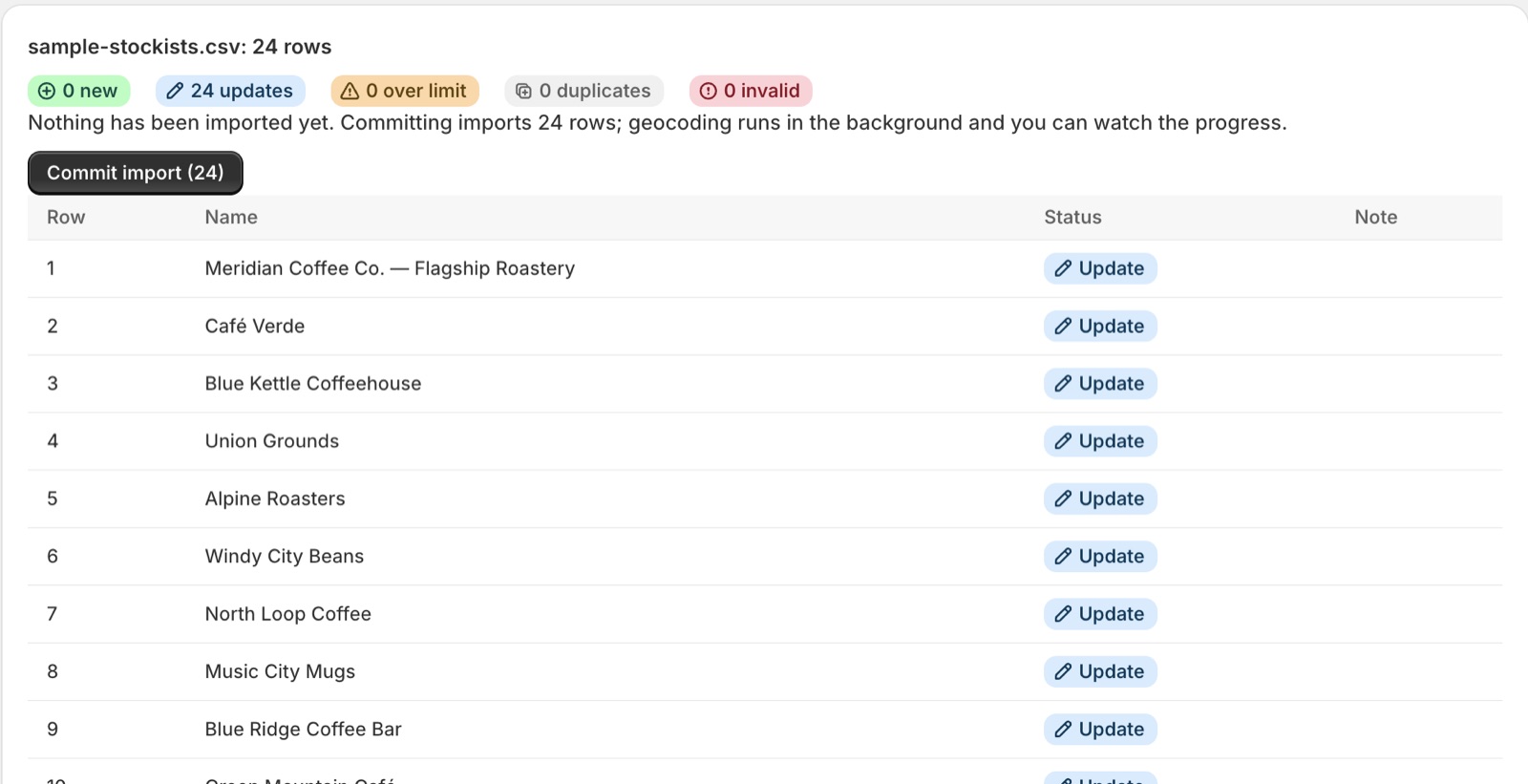
Upload your stockist CSV — or add locations by hand. Rows that already have coordinates skip geocoding entirely. File in a different layout? Ask Shopify Sidekick to check it first. The columns, the preview and what a re-upload does: how the CSV import works.
Fix any that need it
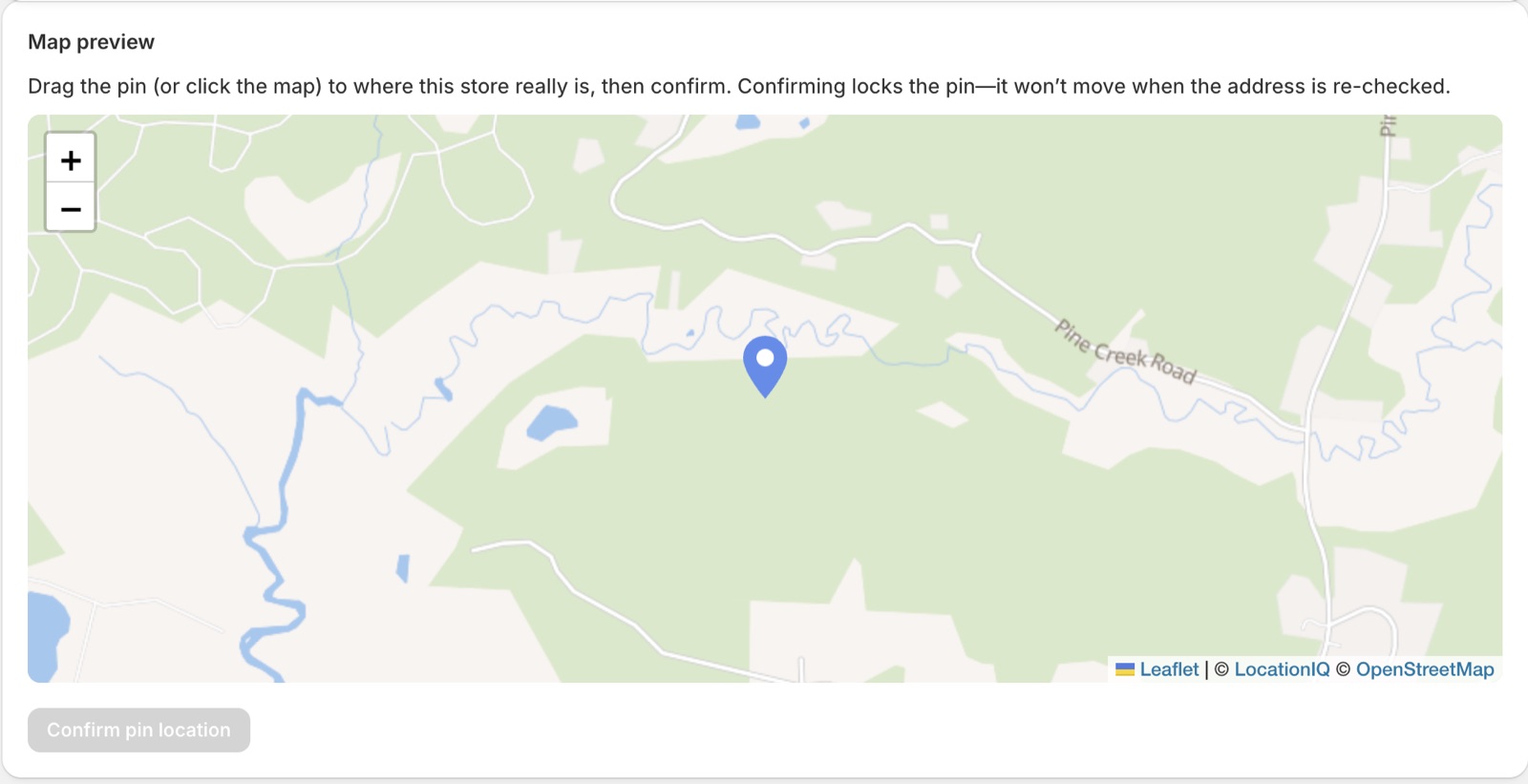
A short queue shows exactly which addresses need a look. Drag the pin or correct the address.
Go live
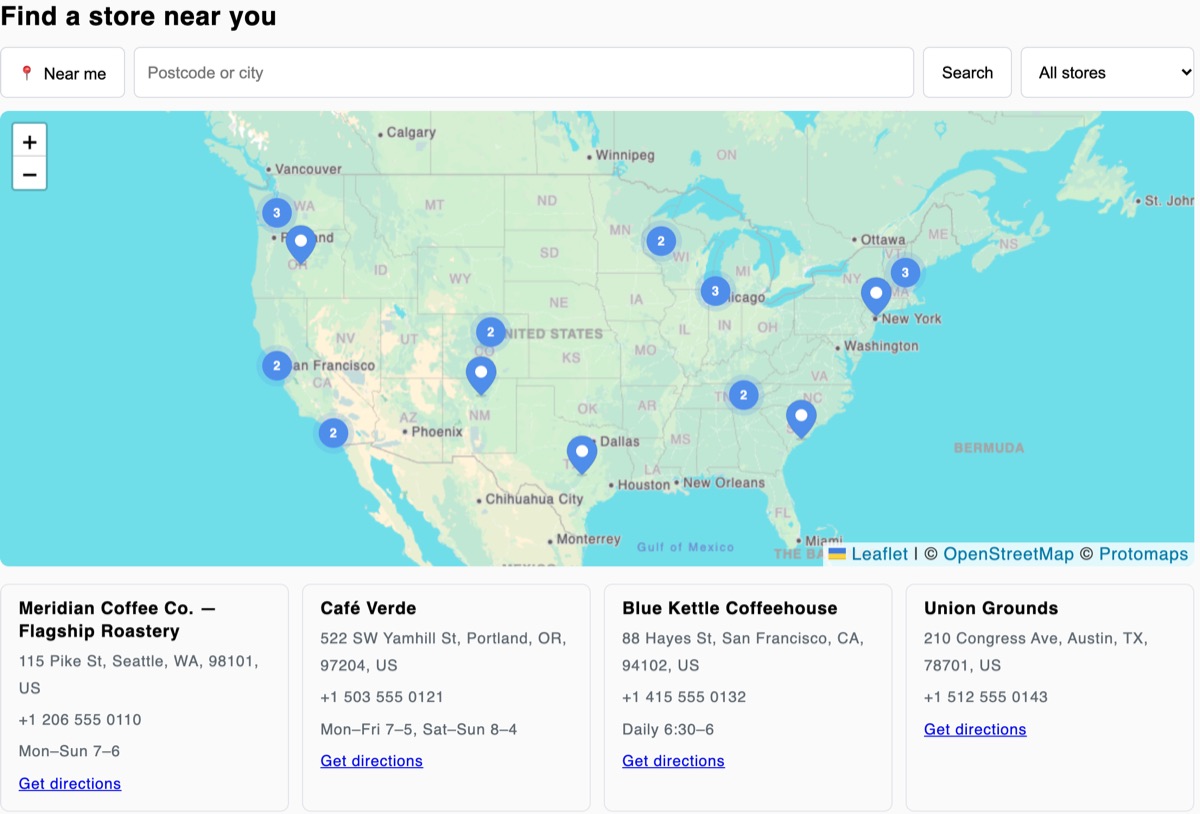
Drop the store-locator block into your theme — no code, no hard theme edits. Done.
Inside the app
The import, the map and the pin fix
Why brands pick Nearmio
Built for wholesale and dealer brands, not just boutiques
No Google API key
Skip the setup other locator apps force on you. Add the app block and you're live in minutes — nothing to create or configure.
Wrong pin? Fixed in seconds
We flag any address that landed wrong and let you drag the pin or correct the address to fix it. No support ticket, no "pins in the open sea." How the fix queue works.
Flat, fair pricing
$9.99/mo for unlimited locations — no per-store fees, no tiers to outgrow. Free for up to 5 locations, with a 7-day trial on the paid plan.
New
Readable by AI assistants
When shoppers ask ChatGPT, Gemini or Perplexity where to buy your brand, the answer has to exist somewhere a machine can read. Nearmio automatically publishes your stockists as a crawlable page with schema.org structured data — no setup, always in sync with your live locations.
Read: Why your stockist list should be readable by AI assistants →
Read: Schema markup for a stockist list, with a real captured example →
New
Your spreadsheet, checked by Shopify Sidekick
Your stockist list never matches the import template. Attach it in Sidekick, Shopify's built-in assistant, and ask it to check the file against what Nearmio needs: it maps your columns to Nearmio's, lists what each row is missing, and writes the rows out in the right layout. Read-only, with your consent each time.
Read: Import any stockist spreadsheet with Shopify Sidekick →
Your Faire retailers can go on the same map.
Selling on Faire? Turn your retailer list into a "where to buy" map → · Or connect Faire directly (beta) → · Before you publish: should every Faire retailer be on the map? · Compare your Faire options →
Your controls
Make the map match your store
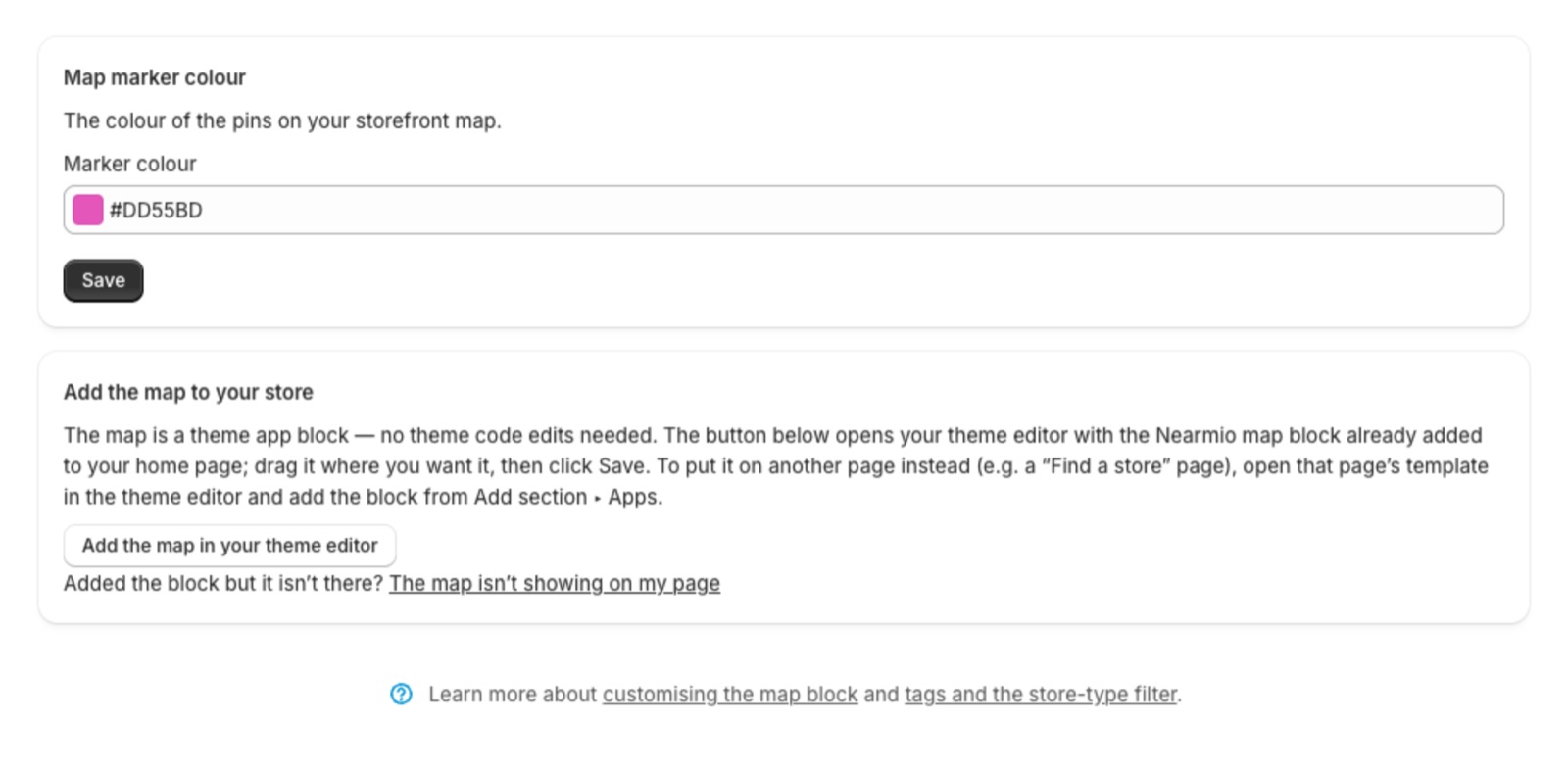
- Pick your marker colour.
- Add the map as a theme app block; no theme code to edit.
- Filter by store type and product line.
Pricing
One flat price. No per-store fees.
Free
$0
- Up to 5 locations
- Full map + search widget
- Store-type and product-line filters
- CSV import
- Pin verification and correction
Pro
$9.99 /mo
7-day free trial
- Unlimited locations
- Everything in Free
- No per-store fees, ever
A good fit if
- You sell through retailers, stockists or dealers.
- You have a spreadsheet of locations to import.
- You want a map without setting up a Google API key.
- You have a handful of stores (free) or many (flat $9.99).
Probably not for you if
- You need live stock levels per store.
- You need a Google Maps map specifically (Nearmio uses OpenStreetMap-based tiles).
- You want the app to edit your catalog or orders (it requests no access scopes and cannot).
What the free plan includes, and where it stops →
Comparing with Stockist? See when each one fits →
Comparing with Storepoint? See when each one fits →
Comparing with Storemapper? See when each one fits →
Comparing with Mapstore? See when each one fits →
Fewer than 50 stockists? What you need and what it costs →
Candle or skincare brand? Set up a stockist map on the free plan →